Saturday, October 8, 2011

Week 7: Clear on Open Source

Open Source Software

"nom nom nom" by Matt McGee
http://www.flickr.com/photos/pleeker/3006047398/
Creative Commons License: http://creativecommons.org/licenses/by/2.0/deed.en


What is Open Source Software?
Open source software is always freely distributed software that contains the source code of the program. When developers include the source code with their software, they are giving you the opportunity to find errors in the software, or develop your own version of the software and make changes to the existing software.


What can you do with Open Source software?
You can do the following things with open source software:
  • You can develop your own version of the software
  • You can create new features to the software
  • You can fix errors in the software (and make money doing it)
  • You can distribute your own version of the software

    So what are the downsides to using Open Source Software?
    As seen in the picture above, with having a dog comes other responsibilities. The dog must be fed, walked, and tended to daily. Much like a dog, open source software that you develop may have problems, or you may need to hire other individuals to change the existing code for your company. Once these changes are made, you can sell the software.  Why is this important in business, you ask? Your company may be just starting up and may need to decide whether they would like to pay for their software, or use open source software as an alternative. This may be very cost-effective, and can bring the company off the ground if they develop their own strains of the open source software.

    What are some examples of Open Source Software available today?
    Some of the most popular examples of open source software include (but are not limited to):
    • Mozilla Firefox
    • Filezilla
    • RealVNC
    • WGet
    • Audacity
    • Gimp
    • OpenOffice
    • Linux
    • Apache
    And many, many more!

      A great source that I've found while researching Open Source software can be found here:
      http://www.howstuffworks.com/question435.htm

      This website will help answer anything you are unsure about with Open Source software!

      Thanks for reading! See you next week!

      Friday, October 7, 2011

      Presentation Project


      I feel that my presentation was concise, short and sweet.  I believe that I executed the presentation effectively, and got a very large amount of information into the video for the 2 minutes and 45 seconds that was recorded. 


      Additionally, I grabbed the attention of the person watching the presentation by presenting how their own security could be at risk. The flow and sequence of content is appropriate and explained the context with concise explanations. I avoided clutter, and the slides were extremely readable. I spoke most of the information before it came up through animation on the slides.


      Lastly,  I created the presentation using PowerPoint, modified the presentation to be appropriate for the business environment, and used a Web 2.0 Tool (Camtasia) to share the presentation online. All of the following are requirements on the rubric as well. The only thing that I believe I can improve on, is to not slur my words during the presentation and to remain a bit more calm. 


      Upon reviewing Matt Goldman's presentation on why his company should invest in tablets for all their employees, I realized that we utilized much of the same concepts in each of our presentations. Surprisingly, our layouts were very similar, and we both used pictures accordingly. I believe that we both picked great topics. Reviewing his presentation allowed me to see where he did wrong, so that I could fix it in my own presentation and help him fix it in his.


      Although this may not be needed, If I was to evaluate my performance for this project with the Scoring Rubric Provided, I would give myself the following scores in each of the following categories:

      • Topic is appropriate for the business environment  (5/5)
      • Storyboard is created using a completed template (5/5)
      • Storyboard is representative of the presentation (5/5)
      • Presentation i created using PowerPoint, KeyNote, or other presentation tool (10/10)
      • At least 2 types of media are included in the presentation (5/5)
      • All media is referred in the credits (10/10)
      • No copyright Violation (10/10)
      • Includes Elements of Effective Presentations (Avoid clutter, etc)  (15/15)
      • Web 2.0 Tool is used to share presentation online.   (5/5)
      • URL to presentation is posted to course discussion board.  (5/5)
      • Self Critique uses Presentation Evaluation Rubric  (10/10)
      • Peer Critique uses Presentation Evaluation Rubric (10/10)
      • Peer Critique is posted to the discussion Board  (5/5)
      • Post is created on Personal Blog (2/2)
      • Post Includes working, clickable link to Web 2.0 Presentation (1/1)
      • Blog post is tagged (1/1)
      • Direct Blog Post in Submission
      Possible Points: 100  
      Total Points I believe I earned: (100/100)

      Thursday, September 29, 2011

      Week 6: Clear on System Software vs Application Software

      System Software vs Application Software

      "Tug of War" by Josh James
      http://www.flickr.com/photos/joshwept/5689555989/
      Creative Commons License: http://creativecommons.org/licenses/by/2.0/deed.en


      What is the difference between System Software and Application Software?
      • System Software is a collection of programs that are required for your computer and its devices to function smoothly
      • Application software is any program that helps you complete a task.
      What are some examples of System Software and Application Software?
      System software is anything that helps keep your computer running smoothly. So, Windows 7 Operating System would be an example of system software.
      Still confused? McAfee AntiVirus, or Norton Anti-Virus are solid examples of System Software because they help keep your computer running smoothly.

      Application software, on the other hand, is anything that helps you complete a task. Examples of application software are Microsoft Word, Microsoft Powerpoint, or even Adobe Photoshop. 
      Other fine examples include MSN Messenger, or Notepad, because MSN helps you communicate with people, and Notepad helps you jot down notes. If those were the tasks you had in mind to complete, those programs can definitely lend a helping hand.

      Why is this important to business people like you?
      It is important that you know the difference between the two different types of software, and why they are developed. Some people are clueless as to what Microsoft Office is unless they've used it before. Knowing the difference between the two types of software is essential especially if you are a software developer or if you are running a business.

      A link that I found extremely helpful when looking up System Software and Application Software is found here: http://www.blurtit.com/q4080402.html
      This will answer any common misconceptions about the two types of software!

      Thanks for reading! See you next week!

      Thursday, September 22, 2011

      Week 5: Clear on Presentation Design and Layout

      Presentation Design and Layout
      Make your presentations stand out. Keep your audience awake!

      "Matt Asleep" by Jasmic
      http://www.flickr.com/photos/jasmic/253938958/
      Creative Commons License: http://creativecommons.org/licenses/by-nd/2.0/deed.en

      It's a great feeling to have your audience fall asleep on you!

      Presenting information to your audience that you want to STICK is a very difficult concept if you don't know what NOT to do.

      Some no-no's when it comes to presentation design and layout:
      • Extremely large blocks of text that seem to never end
      • Images from anywhere on the internet
      • Boring Lists with 6-8 Bullets
      • Clutter on your PowerPoint slides
      • Bizarre, unprofessional , Gothic fonts 

      Some things to focus on when creating a presentation:
      • Images with copyright licenses (Creative Commons)
      • Easy to read slides
      • Simple yet harmonic backgrounds
      • Sans Serif fonts
      • Your voice is the BEST Audio!
      • Simple Pictures or videos that will captivate your audience

           All in all, you need to keep your presentations simple. The more complicated and crowded that your slides become, the harder it will be for your audience to stay involved. Typing one word on a slide and describing its prominence in your own words can help you tremendously instead of posting 6 hard to read graphs and typing a paragraph about the topic. I've always found that using themes already created in PowerPoint can help spice up your presentations dramatically.

           This is extremely important in the business environment because you may have a great idea or topic that needs to be shown to your bosses. Presenting that idea in a PowerPoint with aspects from the "no-no" area of this blog may turn out to be a bad idea. Knowing how to keep your audience interested in your presentation relies directly on how you portray your information in your presentation. After all, who would remember anything you said after reading 10 slides full of text?

      While researching this topic, a very interesting resource I used was:
      http://www.techrepublic.com/article/10-slide-design-tips-for-producing-powerful-and-effective-presentations/6117178
      This is a 10 tip webpage that explains numerous tips on how to keep your presentations, neat, gorgeous, and effective.

      Thanks for reading! I'll see you next week! :)


      Tuesday, September 13, 2011

      Week 4: Clear on Competiton and Competitive Advantage in Business

      Competitive Advantage & Competition in Business


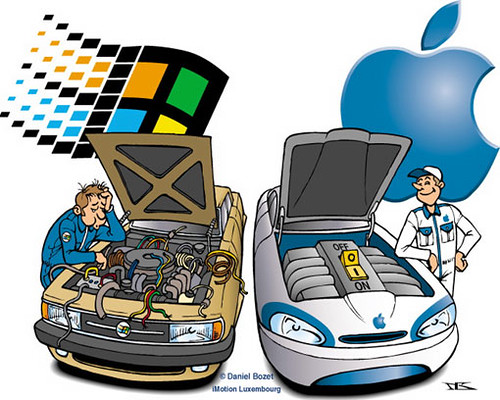
      "PC vs Mac" by Sergio de Candelario Delgado
      http://www.flickr.com/photos/hades87/2688943823/
      Creative Commons License: http://creativecommons.org/licenses/by-sa/2.0/

      This week I was particularly clear on the concept of competitive advantage in business. 

      First off, competitive advantage is both good and bad to the industry and it's consumers. When the iPhone first came out, everyone had to have one. Now, phones with an Android operating system have similar capabilities that the iPhone has, almost as if they copied the phone exactly and tweaked a few things.

      Competition in Business is GOOD for the industry because:
      • It leaves room for improvements in the products in the industry
      • Will lead to stronger products with more features
      • Will drive innovation so that companies will want to be the head of the industry with the leading product


      Competition in Business is BAD for the industry because:
      • Companies have to worry about doing any task better than their rivals
      • Companies can't do the same thing as each other. They have to be unique
      • Companies can copycat products and tweak them to be their own.
      • Will lead to bad blood between companies (Mac vs P.C.)

      Any product you create needs to be: Valuable, Rare, Imperfectly imitable, & Nonsubstitutable if you wish to come out on top of the industry without any companies stealing your ideas or your product structure. 

      In the end, competitive advantage and competition is vital in business because companies live off of copycatting products and making them better. Many "iPhone clones" have helped keep businesses alive because people believe that the product is the iPhone, except better. Without competition, each company would only have very few products, and wouldn't make the revenue they do today.

      A link that I found particularly interesting when researching competition and competitive advantage was the following:
      http://www.yeartosuccess.com/members/y2s/blog/VIEW/00000008/00000062/Competition-is-Good.html

      The link above describes three rules that will help your company benefit from your competition and come out on top.


      I hope you enjoyed my blog post for the week! I'll catch you next week! :)

      Thursday, September 8, 2011

      Week 3: Clear on IP Addresses

      What is an IP Address?

      Great question! First off, IP Address is short for Internet Protocol Address. An IP Address is four 1 byte numbers separated by a period or in easier terms, four numbers between 0 and 255 separated by a period.  This address identifies you from someone else on the internet. Please note that an IP Address is similar to a MAC Address, but is more specific to your connection to the internet with your specific computer.

      An example of an IP Address would be: 128.227.36.209

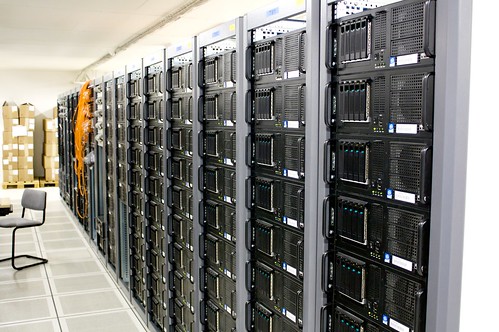
      "Server Room" by Torkild Retvedt
      http://www.flickr.com/photos/torkildr/3462607995/
      Creative Commons License: http://creativecommons.org/licenses/by-sa/2.0/deed.en

      There are two different kinds of IP Addresses on the internet. 

      • One type, static IP addresses, are IP's that stay the same and never change. 
      • The second type, Dynamic IP addresses, on the other hand, change every time you access the internet. 

      An IP Address has two different parts.

      Say our IP address is the following:
      128.227.36.209

      The first part of an IP Address is whats called the subnet. For example, a LAN can be identified with the first 3 sets of numbers in the IP Address. Although there are exceptions, its usually the first 3 sets of numbers. In this case, the subnet would be "128.227.36".


      • The second part of an IP Address is the host. The host section of an IP Address identifies the specific computer/node that we're talking about on the network.  In this case, the host would be ".209".

      IP addresses are very important to the business environment because they narrow down who is who, and can be traced back to certain people. If someone is unknowingly leaking the companies information, a reverse look-up of an IP address can sometimes help to find who the culprit is. 


      A website that I found particularly interesting when doing research on IP Addresses was: http://whatismyipaddress.com/ip-address
      This website tells it all when it comes to IP Addresses! I highly suggest taking a look at the website and reading a few of the facts!

      Thanks for reading! I'll catch you next week!   :)

      Sunday, September 4, 2011

      Week 2: Clear on Ergonomics

      ERGONOMICS

      Taking care of your health may be a major issue in the business workplace. Many people are forced to use the computer throughout their workday, and may not even notice that they are hurting themselves in the process.
       
      "Ergonomics 101" by Oza Meilleur
      http://www.flickr.com/photos/ozameilleur/3991107754/lightbox/
      Creative Commons License: http://creativecommons.org/licenses/by/2.0/deed.en

      Proper ergonomics helps you increase productivity, reduces risk of illness or injury, and also can decrease your risk of carpel tunnel syndrome, and many other poor posture related injuries.  Prolonged awkward posture is not normal, and will eventually become a problem. This is important in the workplace because many people are left at their computers for hours, and may need to seek surgery for the strains they've accumulated after several hours hovered over their computer incorrectly. Quick fixes to your posture can really make a difference.

      Don't worry just yet, I'm here to help you make the necessary changes today, to ensure a healthy tomorrow.
      • The first thing you need to do is buy the correct hardware. Ergonomic keyboards and mouses will help your hands lay naturally, and will decrease the strain instantly.
      • The second thing you should do is buy some software assistance. Speech recognition software such as "Dragon-Naturally Speaking" is a great alternative to typing out everything. Dragon adapts to your voice and will type everything you speak, and even carry out commands you say. Another great option is RSI Guard. RSI guard is an injury prevention software that alerts you when you've worked too long, and helps you take breaks to prevent repetitive strain injuries. 
      Proper posture is another huge aspect of proper ergonomics. Basic posture to decrease strain on your body parts includes:
      • Maintaining an alignment of your ears, shoulders & hips.
      • Maintaining an alignment of your wrist and back.
      • Maintaining a neutral position of your wrist.
      • Keeping your weight evenly distributed.
      • Keeping your shoulders naturally relaxed.
      • Keeping your forearms horizontal with your wrist, leaving enough space for you to rest comfortably, but not so much as to where you are hunching over the keyboard.
      Another resource that I found particularly interesting while researching ergonomics was:
      On this page, you can find general tips on ergonomics, as well as numerous links to exercises you can complete to help reduce everyday strain on your joints!

      I hope you started fixing your posture as you read this blog post! Thanks for reading! I'll catch you later! :)